 Free
Free1. Shipping labels
Seller Flex label + invoice matched by invoice number, PDF or ZPL labels
Labels and invoices are processed directly inside your web browser. No data leaves your machine.
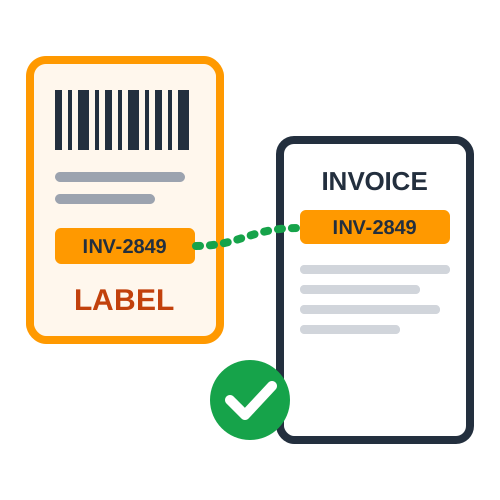
Seller Flex orders come with shipping labels and invoices in separate files, and pairing them by hand takes time. Quick Cropper's Amazon Seller Flex Label Crop combines your Seller Flex shipping labels and invoices into one PDF, with each invoice placed right after its label. Upload labels as a PDF or ZPL file (or paste ZPL code), add the invoice PDF, and the tool matches them by invoice number automatically.
Our tool is built to take the manual work out of Seller Flex shipping. It pairs every label with its invoice even when the invoice PDF is in a different order, prints the quantity, SKU, description and MRP on each label, and offers SKU sorting, order numbers, 4 labels per A4 page and an order summary. Whether you ship a handful of orders or hundreds a day, it keeps your labels and invoices organized - free, unlimited and private, with everything processed in your browser.
Every label gets its own invoice, even if the invoice PDF is in a different order or an invoice runs over more than one page.
Works with label PDFs, ZPL files and pasted ZPL code. A single PDF that contains both labels and invoices is supported too.
Quantity, SKU and the full product description are printed on the label, one line per product.
The MRP is calculated from the invoice amount and quantity and printed in bold, marked "(Incl. of all taxes)".
Sort orders by SKU and print a running order number on each label for easier packing and counting.
Print four labels on each A4 sheet, with invoices following in the same sequence.
Download a summary of SKUs, quantities and orders to plan picking before you pack.
Matching Seller Flex labels and invoices takes just a few clicks.
Open the Seller Flex tool
Go to Quick Cropper and open Amazon Seller Flex Label Crop.
Upload labels
Add your Seller Flex labels as a PDF or ZPL file, or paste the ZPL code.
Upload invoices
Add the invoice PDF for the same orders.
Pick a page size
Choose thermal 4 × 6 in, A4 or original sizes.
Create your PDF
Click "Match & Create PDF" and download one PDF with every label followed by its invoice.
Quick and simple : Print every Seller Flex label with its invoice - no manual sorting.
No more pairing labels and invoices by hand - print them already in order.
Invoice matching plus SKU and quantity on each label means the right products and paperwork go in every box.
The MRP is printed on each label straight from the invoice.
Four labels per A4 page saves paper when you print on a regular printer.
No limits, no cost, and your files never leave your browser.
Anyone shipping Amazon Seller Flex orders from their own warehouse.
Teams that need labels and invoices printed in packing order every day.
Businesses that print the MRP on every shipment.
High-volume operations handling hundreds of Seller Flex orders a day.
The Amazon Seller Flex Label Crop Tool gives Seller Flex sellers a simple way to keep labels and invoices together. With invoice matching, product details, MRP, SKU sorting and A4 printing, it makes daily dispatch faster, more accurate and easier to manage.
4 × 6 in (Thermal)
Labels and invoices on 4 × 6 in pages for thermal label printers.
A4
Every page on A4 for a normal printer, labels at their real size.
Original Sizes
Labels stay 4 × 6 in and invoices stay A4, as downloaded.
Unlike basic PDF cropping tools, Quick Cropper matches Seller Flex labels with their invoices and adds the product details sellers need for packing.
Invoice Number Matching
Labels and invoices are paired by invoice number, whatever order they are in.
ZPL Labels Supported
Use ZPL files or pasted ZPL code directly - no separate converter needed.
SKU, Quantity and MRP
Product details and MRP from the invoice are printed on every label.
Complete Order Management
SKU sorting, order numbers, A4 layout and an order summary in one tool.
Upload the labels and invoices for the same set of orders so every label finds its invoice.
Check the matching report before printing - an unmatched label usually means its invoice wasn't in the upload.
Use the SKU and order summary to collect all products before you start packing.
Print thermal labels at 100% scale so barcodes scan correctly.
Good shipping habits combined with automatic label and invoice matching help Seller Flex sellers ship faster with fewer mistakes.
Find answers to common questions about Amazon Seller Flex Label Crop.
Upload the Seller Flex labels (PDF or ZPL) and the invoice PDF. Quick Cropper matches each label to its invoice by invoice number and puts every invoice right after its label in one PDF.
Yes. Upload a ZPL file or paste the ZPL code - the labels are converted and matched automatically.
No. Matching uses the invoice number, so the order of the invoice PDF doesn't matter. The output follows the order of your labels.
They are added at the end of the PDF and listed on screen, together with any invoices that had no label.
Yes. The tool is free with no limits, and your files are processed in your browser - nothing is uploaded.

A friendly introduction to Amazon label crop on Quick Cropper - what it does, and why sellers reach for it.
Keep Amazon dispatch days organized with pickup sorting and an order summary built into Quick Cropper.
A faster way to process Amazon shipping labels in bulk, built for sellers short on time.
Avoid smudged, oversized Amazon labels with this quick print-readiness guide from Quick Cropper.
Trusted by sellers — explore amazon-seller-flex-label-crop reviews and ratings from users who process shipping label PDFs with Quick Cropper.
No reviews yet — be the first to share your experience.
Submit Review
Last Updated: 25-09-2026