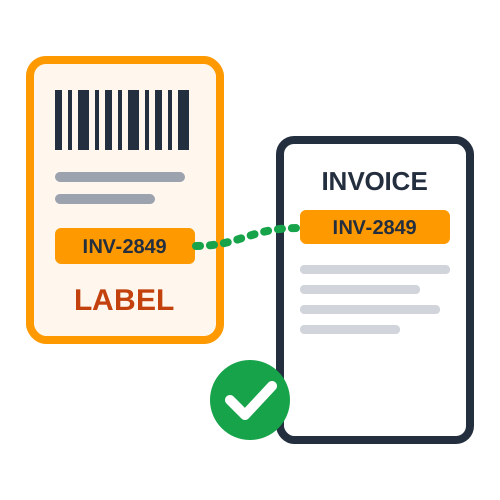
Seller Flex labels are often downloaded as ZPL printer code. Quick Cropper's Amazon Seller Flex label crop converts them and adds the invoices, so you are not limited to a Zebra printer.
Upload ZPL Labels
Upload the .zpl file or paste the code. The labels are converted at the right size and matched to the invoice PDF by invoice number.
Pick a Page Size
- 4 × 6 in Thermal :
Labels and invoices both on 4 × 6 pages for a thermal label printer.
- A4 :
Every page on A4 for a normal printer, labels at their real size.
- Original Sizes :
Labels stay 4 × 6 and invoices stay A4, as downloaded.
Only Need the Labels?
For plain ZPL labels without invoices, the ZPL to PDF converter is the simpler tool.
Why Seller Flex Uses ZPL
Seller Flex warehouses often use thermal label printers, and ZPL is the native language of many of these printers. Downloading labels as ZPL lets a compatible printer print them directly and very quickly. The problem comes when you want to print on a different printer, add invoices or check the labels on screen, because ZPL is not a document format like PDF. Converting the labels first solves this and gives you full control over how and where they are printed.
Which Page Size Should You Choose?
The best page size depends on your printer and how you pack. If your packing station has a 4 x 6 inch thermal printer, choose thermal pages so labels and invoices print on the same roll one after another. If you only have an office printer, choose A4, and each label prints at its real size on the page, ready to cut. If you use a thermal printer for labels and a separate A4 printer for invoices, keep the original sizes and send each type to its own printer.
Tips for Thermal Printing
- Set the Paper Size :
Add 4 x 6 inches as the paper size in your printer driver.
- Print at Actual Size :
Do not use fit to page, as it shrinks the barcode.
- Calibrate the Printer :
Run label calibration after loading a new roll.
- Check Darkness :
Increase darkness slightly if barcodes look light.
Tips for A4 Printing
Print at 100% scale and check that the printer is not adding large margins. Cut labels carefully along their edges and fix them to parcels with clear tape or place them in label pouches. Invoices can be folded and placed inside the parcel. If you ship many orders a day, consider moving to a thermal printer, which saves the cutting step completely.
Frequently Asked Questions
Can I paste ZPL code instead of uploading a file? Yes. Paste the code and it is converted in the same way.
Will the labels be the correct size? Yes. ZPL labels are converted at the right size before being placed on the page size you choose.
Can I switch between page sizes later? Yes. Upload the same files again and choose a different page size whenever your printing setup changes.
Keeping the Same Setup Every Day
Once you choose a page size and printer setup that works, keep it the same every day. Save the paper size in your printer driver as the default, keep the same label rolls in stock and use the same page size option in the tool. A consistent setup means fewer printing mistakes, less wasted label stock and a routine that any team member can follow. If you ever change printers or label rolls, run a single test page first and check the size and barcode before printing the full batch again. If you also ship orders outside Seller Flex through your own courier, the Shipping Label Generator makes labels in the same 4 x 6 inch and A4 sizes, so your printer setup does not change.
Conclusion
ZPL or PDF, thermal or A4 - the Seller Flex label crop tool fits your printer instead of the other way round.
 ShopsyCrop Shopsy Label with Invoice & Order Details
 GlowRoadCrop GlowRoad Label with Invoice & Order Details