Amazon, flipkart, meesho label crop tool for quick shipping

Smart work for Fast shipping
Amazon, flipkart, meesho label crop tool for quick shipping
Supported Marketplaces

Amazon, Flipkart, Meesho & GlowRoad Label Crop Tools

Amazon, Flipkart, Meesho and GlowRoad shipping label crop and sort.

Crop Amazon Label

Amazon label crop

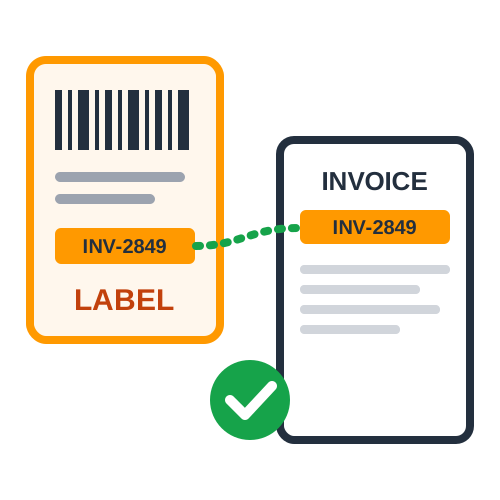
Crop Amazon Label with Invoice & Summary

Start Amazon
Crop Flipkart Label

Flipkart label crop

Crop Flipkart Label with Invoice & Order Details
Start Flipkart
Crop Meesho Label

Meesho label crop

Meesho Label Cropper - Invoice & Pickup Sorting

Start Meesho
Crop Shopsy Label

Shopsy label crop

Shopsy Label Cropper - Invoice & Pickup Sorting

Start Shopsy
Crop GlowRoad Label

GlowRoad label crop

GlowRoad Invoice Cropper - Custom Order Number

Start GlowRoad
PDF Merge

Merge PDF

Merge PDFs with Sorting - Arrange & Combine Files

Start PDF Merge
ReArrange PDF

Re-Arrange PDF

ReArrange PDF page quickly

ReArrange PDF

QuickCropper - Your Ultimate Label Cropping Solution

Welcome to Quick Cropper, your all-in-one online tool designed to simplify and optimize the process of managing shipping labels and order documents for pdf cropper ecommerce sellers. Whether you're selling on Amazon, Flipkart, Meesho or GlowRoad, our platform offers powerful solutions including Amazon label crop, Flipkart label crop, Meesho label crop, GlowRoad label crop, and Merge PDF—each tailored to meet the growing needs of online sellers. From automatic sorting of SKUs to cropping invoices and combining PDFs into a single document, Quick Cropper is built to help you save time, reduce errors, and ship faster.

Our flagship tool, the Amazon label crop tool, provides sellers with advanced features like SKU sorting, quantity printing on the label and customized PDF layouts such as 4 labels in A4 size. You can also print a custom order number on the label or add a custom thank-you message like "Thank you for your order." This flexibility makes your packaging look more professional and creates a great impression on customers. The crop amazon label tool also generates an order detail PDF that includes the SKU, quantity, order number, and total order count. With our solution, you can easily keep your packaging workflow organized without wasting time on manual edits or third-party software.

For Flipkart sellers, our Flipkart label cropper offers powerful cropping and sorting features tailored to Flipkart's logistics requirements. You can perform Flipkart invoice cropping, sort by SKU, or use the pickup location sorting option to streamline your packing and shipping process. The Flipkart pdf crop tool ensures your shipping labels are trimmed, aligned, and ready for print without any unnecessary formatting. Whether you need to crop Flipkart labels, generate a quick summary, or prepare a batch for bulk shipping, this tool saves hours of manual work. It's the perfect solution for sellers who are looking for a reliable Flipkart invoice cropper or a Flipkart shipping label crop tool.

Similarly, the Meesho shipping label crop offers extensive capabilities that e-commerce sellers love. With automatic SKU sorting, pickup sorting and invoice cropping, sellers can process large volumes of Meesho orders in minutes. If you've been struggling with disorganized documents or poor label quality, our Meesho crop label and Meesho crop pdf tools are just what you need. You can easily generate clean, ready-to-print labels while also receiving a summary document that includes SKU, quantity, order number and total orders. These features are highly useful for inventory control, dispatching and order verification. Whether you're looking for a Meesho invoice cropper, Meesho label cropper or simply a better way to Meesho invoice cropper, our platform delivers.

Shopsy shipping label crop offers extensive capabilities that e-commerce sellers love. With automatic SKU sorting, pickup sorting and invoice cropping, sellers can process large volumes of Shopsy orders in minutes. If you've been struggling with disorganized documents or poor label quality, our Shopsy crop label and Shopsy crop pdf tools are just what you need. You can easily generate clean, ready-to-print labels while also receiving a summary document that includes SKU, quantity, order number and total orders. These features are highly useful for inventory control, dispatching and order verification. Whether you're looking for a Shopsy invoice cropper, Shopsy label cropper or simply a better way to Shopsy invoice cropper our platform delivers.

GlowRoad sellers can also take advantage of our specialized crop glowroad label tool. It's simple, fast, and highly accurate. You can crop GlowRoad shipping labels, organize them for dispatch, and print them with professional precision. Like our other tools, this too allows for customization, including 4-labels-per-A4 formatting and the ability to print personalized text. Sellers can avoid misprinting issues and delays by ensuring all information is neatly presented on the shipping label.

One of our most powerful utilities is the Merge PDF tool. Designed to help sellers combine multiple PDF files such as invoices, shipping labels, and summaries, this tool is ideal for managing order documentation in bulk. You can upload multiple documents, reorder them, and generate a single clean PDF—all in one click. This helps in organizing shipping paperwork, maintaining digital records, or sending documents for printing. Whether you're merging five files or fifty, our tool ensures the process is quick and hassle-free.

Quick Cropper also includes smart PDF customization settings that let you format your output exactly the way you want. With the 4-labels-on-A4 feature, you can save on printing costs while maintaining clarity and alignment. You also have the option to include a custom order number, add personalized customer messages, and remove unwanted ads or elements from your documents. There's no advertising in our platform interface or in the output files—ensuring a clean, professional result every time.

Each tool on our platform is engineered for speed and accuracy. But as we always recommend, please verify the label before download to ensure it meets your packaging requirements. While our cropping and sorting tools are highly accurate, we are not responsible for any errors that may arise due to manual entry, file corruption, or third-party issues. We strive to provide the highest precision possible, but encourage users to double-check files before final printing.

To recap, here are the five powerful tools available on Quick Cropper:

  • Amazon Label Crop Tool :

    Includes SKU sorting, quantity printing, custom text, and order summary.

  • Flipkart Label Crop Tool :

    Features Flipkart invoice crop, SKU sorting, pickup sorting, and order summary.

  • Meesho Label Crop Tool :

    Offers Meesho invoice cropping, SKU sorting, pickup sorting, customization and Crop pdf meesho.

  • GlowRoad Label Crop Tool :

    Accurate label cropping for GlowRoad shipping labels with smart PDF settings.

  • Merge PDF Tool :

    Quickly combine multiple PDFs into one, ideal for shipping documents and order summaries.

Our platform is trusted by thousands of sellers across India and beyond who rely on it daily to manage their e-commerce order processing efficiently. We've designed Quick Cropper to be incredibly easy to use, even for beginners, while still offering the advanced features that professional sellers demand.

Whether you're using Flipkart crop label, Flipkart pdf crop, Label crop flipkart, Crop Meesho label or need a trusted Meesho invoice cropper, you'll find all the tools you need here at Quick Cropper. From label printing to invoice cropping, our platform reduces repetitive tasks, lowers operational costs, and helps you focus more on growing your business.

Thank you for choosing Quick Cropper, your partner in smart e-commerce document processing.

FAQ

Frequently Asked Questions

Find answers to common questions about cropping and processing shipping label PDFs.

Which marketplaces does Quick Cropper support?

Quick Cropper supports Amazon, Flipkart, Meesho, Shopsy and GlowRoad shipping label cropping, along with a Merge PDF tool for combining multiple documents.

Is Quick Cropper free to use?

Yes. Quick Cropper's shipping label crop and PDF merge tools are free to use, with a clean, ad-free experience.

Is my shipping label PDF uploaded to a server?

No. Quick Cropper processes your PDF files directly inside your web browser, so your files and data never leave your machine.

Can I sort shipping labels by SKU?

Yes. Quick Cropper can automatically crop and sort your Amazon, Flipkart, Meesho, Shopsy and GlowRoad shipping labels by SKU for faster order fulfillment.

Can I print quantity and order summary on my labels?

Yes. You can print SKU and quantity on each label and generate an order detail PDF with SKU, quantity, order number and total order count.

Can I print four labels on one A4 sheet?

Yes. Quick Cropper offers a four-labels-per-A4-sheet option to make bulk label printing more efficient and reduce paper usage.

Can I add a custom order number or custom text to my labels?

Yes. You can print a custom order number on each label and add custom text, such as a thank-you message, to your shipping labels.

Can I merge multiple PDF files?

Yes. The Merge PDF tool lets you combine multiple invoices, labels or order documents into a single PDF file directly in your browser.

Do I need to create an account to use Quick Cropper?

No account is required. Open the tool for your marketplace, upload your shipping label PDF and download the processed file.

What if I face an issue while using a tool?

You can contact our support team at [email protected] for assistance with any issue while cropping, sorting or merging your shipping label PDFs.

Last Updated: 17-09-2026