Amazon label crop tool with SKU - Quantity - Invoice

Smart work for Fast shipping
Amazon label crop tool with SKU - Quantity - Invoice
Crop Amazon LabelFree

Amazon label crop

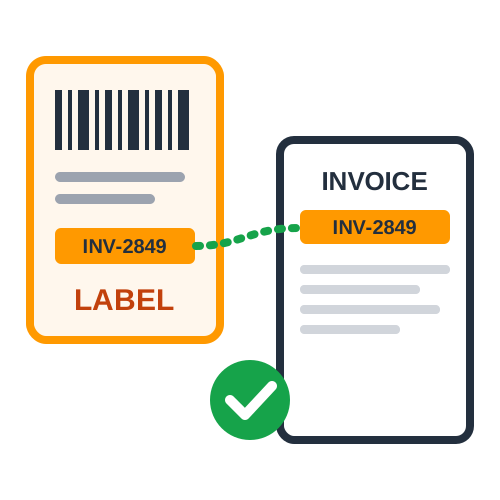
Crop Amazon Label with Invoice & Summary

PDF files are processed directly inside your web browser. No data leaves your machine.

Amazon Label Crop Tool - A Game-Changer for E-commerce Sellers

In the fast-paced world of e-commerce, efficiency and accuracy are crucial. Managing multiple orders, printing shipping labels, and keeping track of inventory can be overwhelming. Our Amazon Label Crop Tool is designed to streamline this process by offering an easy-to-use, highly efficient solution for sellers on Amazon. This tool ensures seamless cropping and customization of Amazon shipping labels, making your order fulfillment faster and more efficient.

Why Choose Our Amazon Label Crop Tool ?

Our Amazon Label Crop Tool is built to simplify label management with key features that improve efficiency, accuracy, and productivity. Whether you're an individual seller or a large-scale merchant, our tool helps you save time by automatically cropping and sorting labels. The features included in our tool make label printing and order management hassle-free, ensuring your operations run smoothly.

Key Features of the Amazon Label Crop Tool

  • Amazon SKU Management

    One of the primary features of our Amazon Label Crop Tool is its ability to print SKU (Stock Keeping Unit) on labels. This helps sellers easily identify products and maintain accurate inventory records. The SKU is crucial for tracking stock levels, reducing errors, and ensuring smooth order fulfillment.

  • Quantity Print on Label with SKU Sorting

    Our tool allows you to print the quantity of each product on the label, along with SKU sorting. This makes it easier for packers to process orders accurately without confusion. SKU sorting ensures that products are organized efficiently, reducing the risk of misplaced shipments and improving warehouse management.

  • Customized PDF Settings with 4 Labels per A4 Page

    Printing shipping labels can often be a wasteful process, leading to unnecessary paper consumption. Our tool provides customized PDF settings that allow you to print four labels per A4 page, optimizing resource utilization and reducing printing costs. This feature is especially useful for high-volume sellers who require bulk label printing while maintaining efficiency.

  • Custom Order Number Print on Label

    For better tracking and identification, our Amazon Label Crop Tool allows users to print a custom order number on each label. This feature helps in organizing shipments efficiently, minimizing errors, and ensuring that the correct order reaches the right customer.

  • Custom Text on Label (e.g., Thank You for Your Order)

    Customer experience plays a significant role in brand loyalty. Our tool allows sellers to include custom text on labels, such as 'Thank You for Your Order', providing a personalized touch to shipments. This small yet impactful feature can enhance customer satisfaction and encourage repeat purchases.

  • No Advertising - A Clean, Professional Label

    Unlike other tools that may include advertisements or unnecessary branding, our Amazon Label Crop Tool ensures a clean, professional label format. Your shipping labels will only contain relevant order information, ensuring a neat and presentable look.

  • Order Detail PDF Including SKU, Quantity, Order Number, and Total Order

    To streamline the order management process, our tool generates an order detail PDF that includes SKU, quantity, order number, and total order details. This comprehensive document serves as a quick reference for sellers and warehouse staff, ensuring accuracy in packing and shipping.

  • Merge PDF Feature for Consolidated Label Printing

    For sellers handling bulk orders, our merge PDF feature is invaluable. It allows you to merge multiple shipping labels into a single PDF file for easy and organized printing. This feature eliminates the hassle of handling multiple files and ensures smooth label processing.

How It Works

How Our Amazon Label Crop Tool Works

Using our Amazon Label Crop Tool is simple and requires minimal effort.

1

Upload your Amazon shipping label PDF

Upload the PDF file containing your Amazon shipping labels to the Quick Cropper Amazon label crop tool.

2

Customize label preferences

Select your preferred settings, including SKU printing, quantity display, custom text, order number, and other available label options.

3

Crop and sort the labels

Quick Cropper automatically crops, sorts, and formats the Amazon shipping labels according to your selected preferences.

4

Download the processed labels

Download the processed Amazon shipping label PDF after the cropping and formatting process is complete.

5

Print the labels

Print the processed Amazon shipping labels on A4 sheets using the four-labels-per-page option.

Quick and simple : Process your Amazon shipping labels online without installing additional software.

Benefits of Using the Amazon Label Crop Tool

  • Saves Time and Effort

    Manual label cropping and sorting can be tedious and time-consuming. Our tool automates this process, allowing you to focus on other essential aspects of your business.

  • Enhances Accuracy in Order Fulfillment

    Printing SKU, quantity, and custom order numbers reduces errors, ensuring that the right products are packed and shipped.

  • Reduces Printing Costs

    With four labels per A4 page, you can save paper and ink, leading to cost-effective printing.

  • Provides a Professional Look

    A clean, well-organized label enhances your brand's professionalism and makes shipments look neat.

  • Improves Customer Experience

    Custom text on labels adds a personal touch, making customers feel valued and increasing the likelihood of repeat purchases.

  • Optimizes Warehouse Management

    SKU sorting and order detail PDFs streamline inventory tracking, helping warehouse staff pick and pack orders accurately.

Who Can Benefit from Our Amazon Label Crop Tool ?

Our tool is designed for :

  • Amazon Sellers - Whether you're a small seller or a large business, our tool helps in efficient label management.
  • Warehouse Managers -For those handling bulk shipments, our tool ensures a streamlined workflow.
  • E-commerce Entrepreneurs -If you sell across multiple platforms, our tool simplifies the process of managing shipping labels.
  • Logistics and Fulfillment Centers -Logistics and Fulfillment Centers

The Amazon Label Crop Tool is an indispensable asset for e-commerce sellers looking to optimize their shipping label process. With features like SKU printing, quantity sorting, customized PDF settings, and merged PDF files, this tool enhances efficiency and accuracy in order fulfillment. Whether you're a small-scale seller or a high-volume merchant our tool provides a hassle-free, cost-effective and professional label management solution.

FAQ

Frequently Asked Questions

Find answers to common questions about cropping and processing Amazon shipping label PDFs.

Can I crop Amazon shipping labels online with Quick Cropper?

Yes. Quick Cropper lets you upload an Amazon shipping label PDF and automatically crop, sort, and format the labels according to your selected options.

Can I sort Amazon shipping labels by SKU?

Yes. Quick Cropper provides SKU sorting to help organize Amazon shipping labels efficiently for order fulfillment and packing.

Can I print SKU and quantity on Amazon shipping labels?

Yes. The Amazon label crop tool can print SKU and quantity information on shipping labels, making product identification and order processing easier.

Can I print four Amazon shipping labels on one A4 page?

Yes. Quick Cropper provides a four-labels-per-A4 option for arranging Amazon shipping labels efficiently for printing.

Can I add a custom order number to an Amazon shipping label?

Yes. Quick Cropper allows you to print a custom order number on Amazon shipping labels for easier order identification and tracking.

Can I add custom text to Amazon shipping labels?

Yes. You can add custom text to supported Amazon shipping labels, such as a dispatch message or a thank-you message for customers.

Can I print the date and time on Amazon shipping labels?

Yes. Quick Cropper provides an option to print the date and time on Amazon shipping labels.

Can I include an invoice with my Amazon shipping labels?

Yes. The Amazon label crop tool includes an invoice option that allows you to process Amazon shipping labels together with invoice information.

Can I generate an Amazon order summary PDF?

Yes. Quick Cropper can generate an order detail PDF containing information such as SKU, quantity, order number, and total order details.

Does Quick Cropper process Amazon PDF files in the browser?

Yes. Quick Cropper states that Amazon PDF files are processed directly inside your web browser and that no data leaves your machine.

How do I crop Amazon shipping labels using Quick Cropper?

Upload your Amazon shipping label PDF, select the options you need such as SKU sorting, quantity, custom text or order number, and then start the Amazon PDF crop process. The processed labels can then be downloaded for printing.

Can I download the processed Amazon shipping labels?

Yes. After Quick Cropper processes the Amazon shipping label PDF, you can download the optimized PDF and use it for printing.

Last Updated: 10-09-2026