- Amazon
- Flipkart
- Meesho
- Amazon Seller FlexNew
- Shipping Label GeneratorShipping LabelNew
- IndiaMart CRM
- Other tools
- Login

26-09-2026 · Quick Cropper
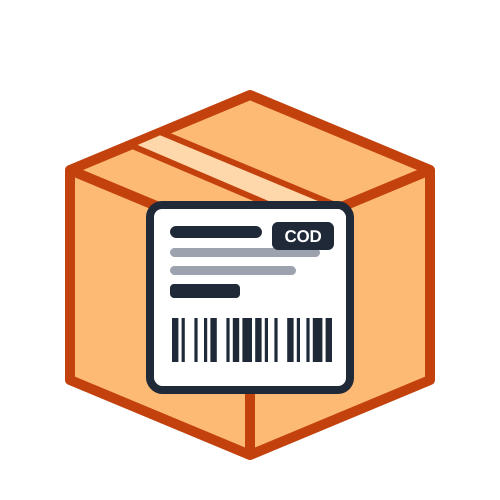
India Post reaches almost every pincode in the country, which makes it a popular choice for small sellers and resellers. A clear parcel label helps your shipment move through post offices and sorting centres without delays. This quick overview explains what India Post parcels need on the label and how to print one with the Quick Cropper Shipping Label Generator.
The receiver's name and full address are the most important part of the label. Include the house or flat number, street, area, a landmark, city, state and the 6-digit PIN code. The PIN code is used to sort the parcel to the right delivery post office, so it should be correct and easy to read. Adding the receiver's mobile number helps the postman contact them if needed.
Always include your own name or shop name, address with PIN code and phone number as the sender or return address. If the parcel cannot be delivered, this is where it will be sent back. On a printed label, the sender details are usually placed in a separate block so they are never confused with the delivery address.
Tracked services give each article a unique number, often shown as two letters, nine digits and IN, for example EZ123456789IN. Printing this number as a barcode on your label means it can be scanned quickly at booking and along the way. Only India Post can issue the number, so type in the one you receive when you book the parcel.
Add your shop name, address, PIN code and phone once; the tool can remember them.
Type the name, address, city, state, PIN code and phone of your customer.
Write India Post as the courier and add the tracking number to print the barcode.
Mark prepaid parcels, or enter the amount to collect if the order is cash on delivery.
Download the PDF and print it at actual size on a thermal label or A4 paper.
Use a sturdy box or a strong courier bag, and seal every edge with tape. Stick the label on the largest flat side, away from folds and seams, so it stays flat and readable. If you print on paper, cover the label with clear tape to protect it from rain. Remove or cover any old labels on reused boxes, so only the new address can be read.
If you book several parcels a day, upload your order list from Excel or paste it from a spreadsheet to create all the labels at once. Sort them by PIN code, and add the summary page to count parcels before you visit the post office. This keeps your booking queue short and your records tidy.
As this guide shows, most postal delivery delays come from a few simple mistakes. A wrong or missing PIN code can send a parcel to the wrong delivery office. A missing phone number makes it harder for the postman to reach the customer. Hand-written labels can smudge in the rain or be hard to read at sorting centres. Printing a clear label with the correct PIN code, a working phone number and a protected surface avoids nearly all of these problems, and it makes your parcels look far more professional at the counter.
A clear receiver address, a correct PIN code, a phone number, your return address and the tracking barcode are all an India Post parcel label needs. Quick Cropper's free parcel label tool puts them in a neat layout every time, so your parcels are ready for the counter in minutes.
Last Updated: 23-09-2026