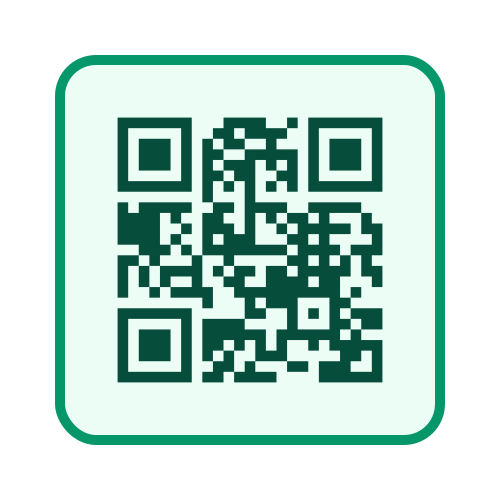
A WhatsApp QR code opens a chat with your business instantly, without customers saving your number first. Quick Cropper's QR Code Generator makes one in seconds.
Make a quick and free WhatsApp QR code for your business counters, packaging and visiting cards.
How It Works
The code contains a wa.me link with your number. Scanning it opens WhatsApp with your chat ready - and, if you like, a message already typed.
Create Your WhatsApp QR Code
- Choose WhatsApp :
Select it as the QR code type.
- Enter Your Number :
With country code, for example 919876543210.
- Add a Message :
Optional, such as Hi, I want to order.
- Download :
PNG, SVG or a sheet of printable stickers.
Why Businesses Use WhatsApp QR Codes
Many customers prefer to message a business rather than call. A WhatsApp QR code makes this effortless: one scan opens a chat without typing a phone number or saving a contact. For shops, restaurants, service providers and online sellers, this means more enquiries and orders, because the barrier to starting a conversation is so low. It also makes your business look modern and easy to reach. Online sellers can print the code on parcel inserts with the Thank You Card Maker so buyers can reorder in one scan, and resize product photos for a WhatsApp catalogue with the Image Resizer.
Writing a Helpful Pre-Filled Message
The optional message is typed into the chat automatically when a customer scans the code. A good message tells you what the customer wants, so you can reply quickly. For a shop counter, a message like I would like to place an order works well. For product packaging, something like I need help with my product is more suitable. For a flyer, you might use a message that mentions the offer, so you know which promotion brought the customer.
Tips for Printing and Displaying
- Add a Call to Action :
Print text such as Scan to chat on WhatsApp near the code.
- Keep It Large Enough :
Make the code big enough to scan from where customers will stand.
- Use Good Contrast :
Print a dark code on a light background.
- Test Before Printing :
Scan the code with your own phone to check the number and message.
Using a WhatsApp Business Account
If you use the WhatsApp Business app, you can combine your QR code with features like quick replies, catalogues and away messages. When customers scan the code outside working hours, an away message can let them know when you will respond. Quick replies help you answer common questions in seconds, making the most of every conversation your QR code starts.
Frequently Asked Questions
Does the code work with WhatsApp Business numbers? Yes. It works with any WhatsApp number, personal or business.
Will the code stop working? No. It is a static code with your number inside, so it keeps working as long as the number is on WhatsApp.
Can I change the pre-filled message later? The message is stored inside the printed code, so a new message needs a new QR code. Keep your printed codes general if you do not want to reprint them often.
Can I print the code on visiting cards? Yes. Download it as SVG for the sharpest result and ask your printer to keep it at least 2 cm wide.
Measuring the Results
To see how well your WhatsApp QR code works, use a slightly different pre-filled message for each place you display it. For example, use one message on your shop counter and another on your product packaging. When customers message you, the text tells you which code they scanned. After a few weeks, you will know which locations bring the most conversations and orders, and you can place more codes where they work best. This simple trick gives you useful insight without any tracking tools or paid services.
Conclusion
One scan, one chat. A WhatsApp QR code from the QR Code Generator makes it easy for customers to reach you.
 ShopsyCrop Shopsy Label with Invoice & Order Details
 GlowRoadCrop GlowRoad Label with Invoice & Order Details